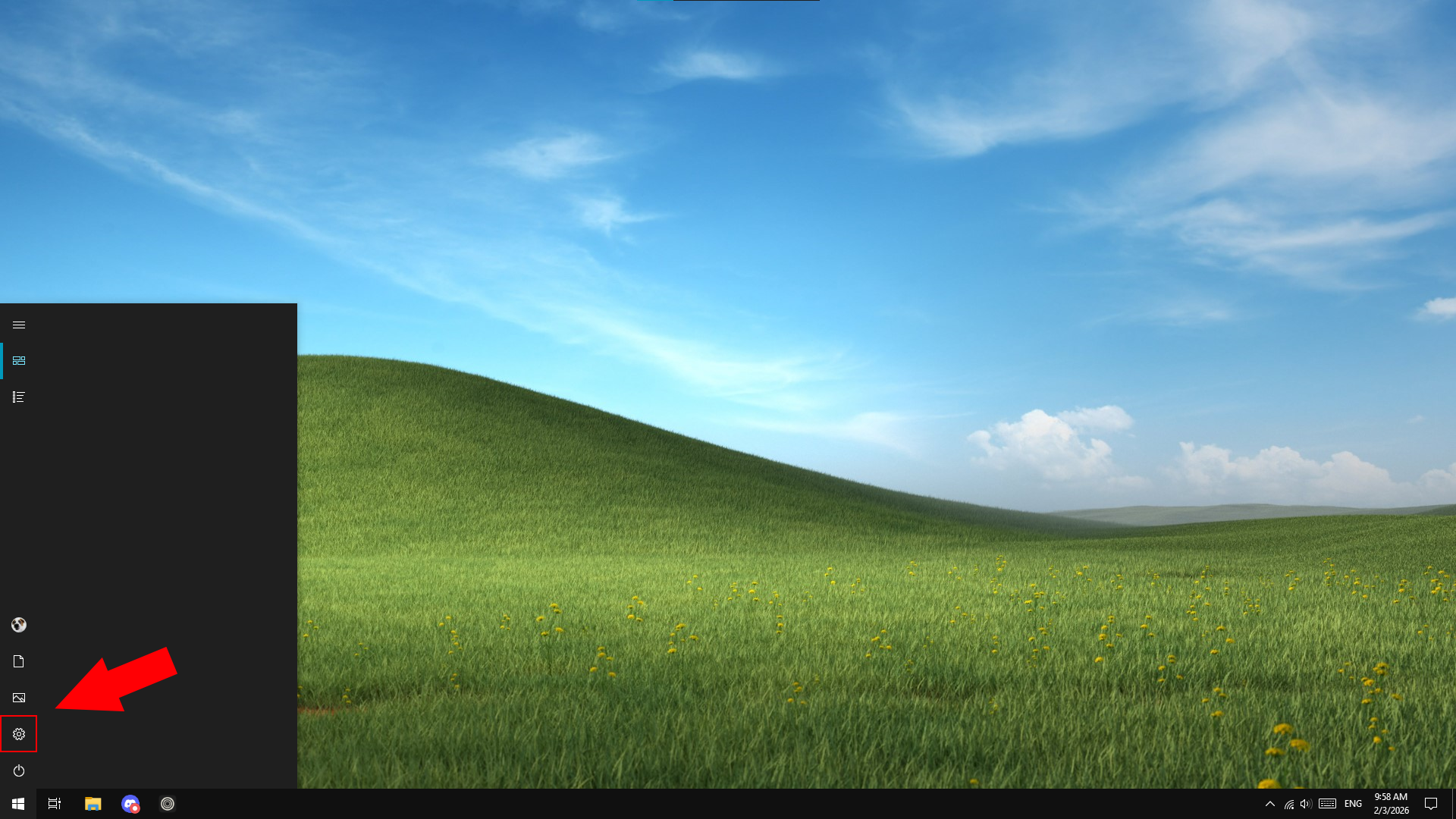
Press the Windows button on your keyboard and click on the Settings icon.
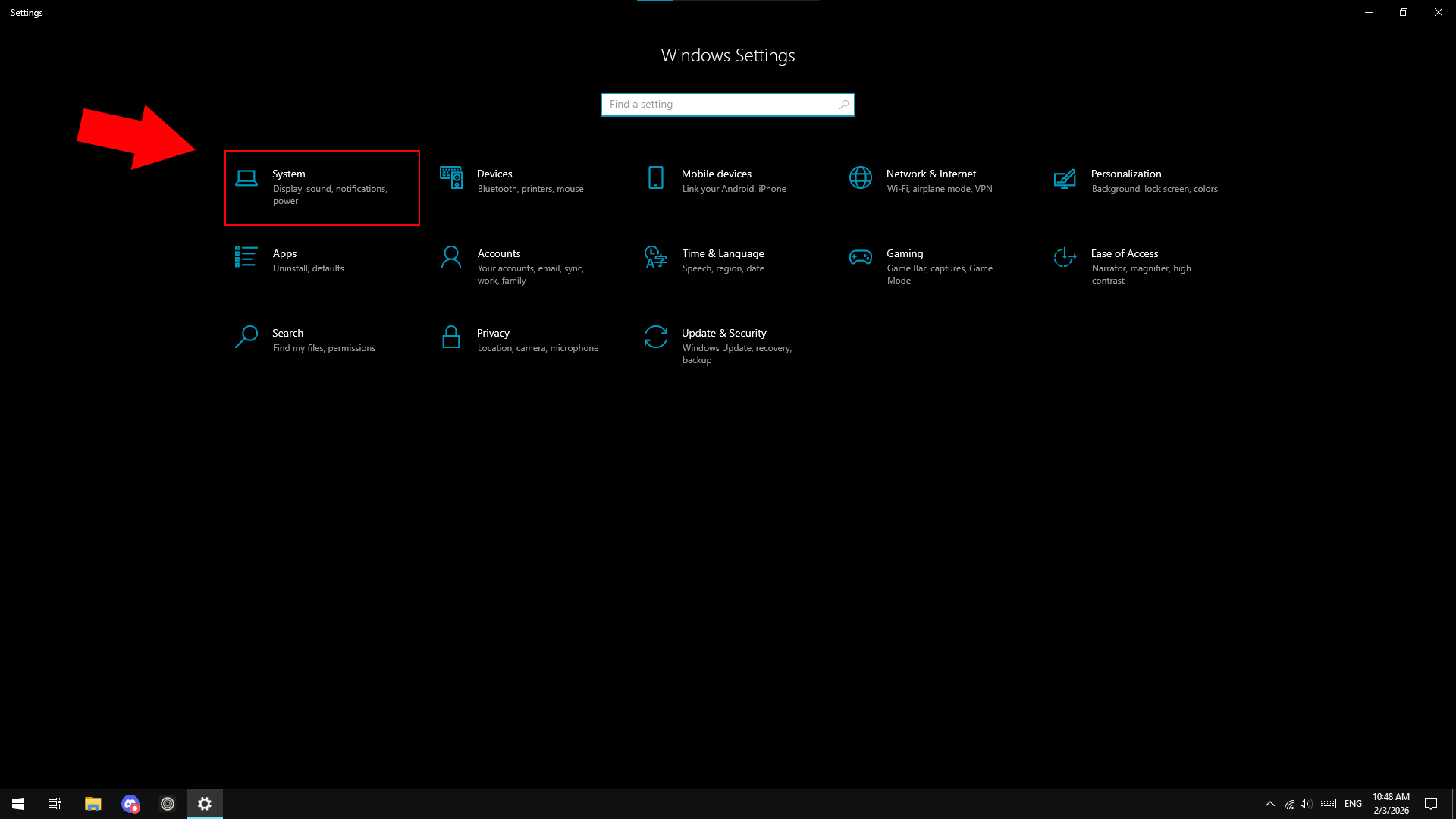
Click on the System category.
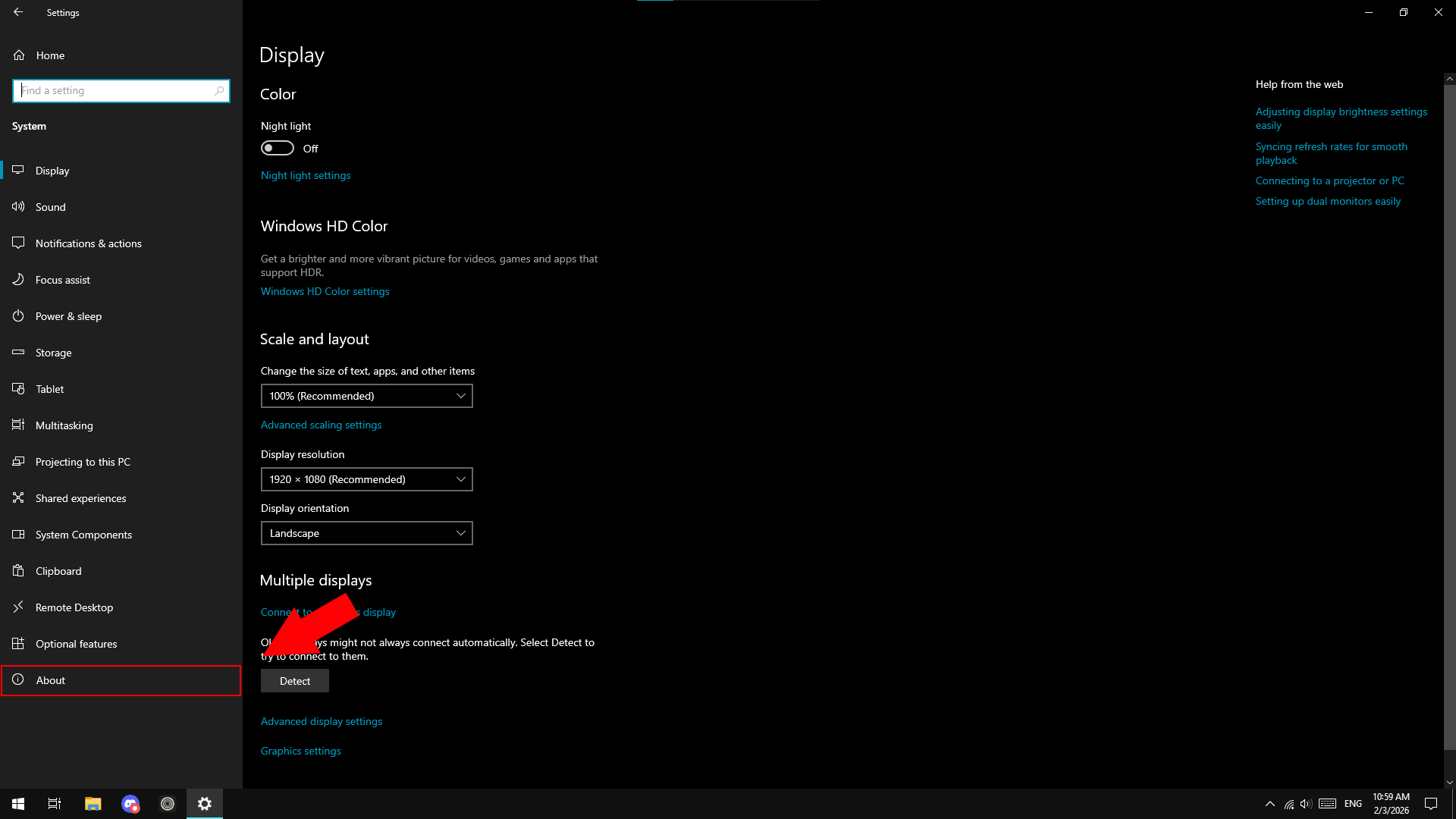
Click on the About section
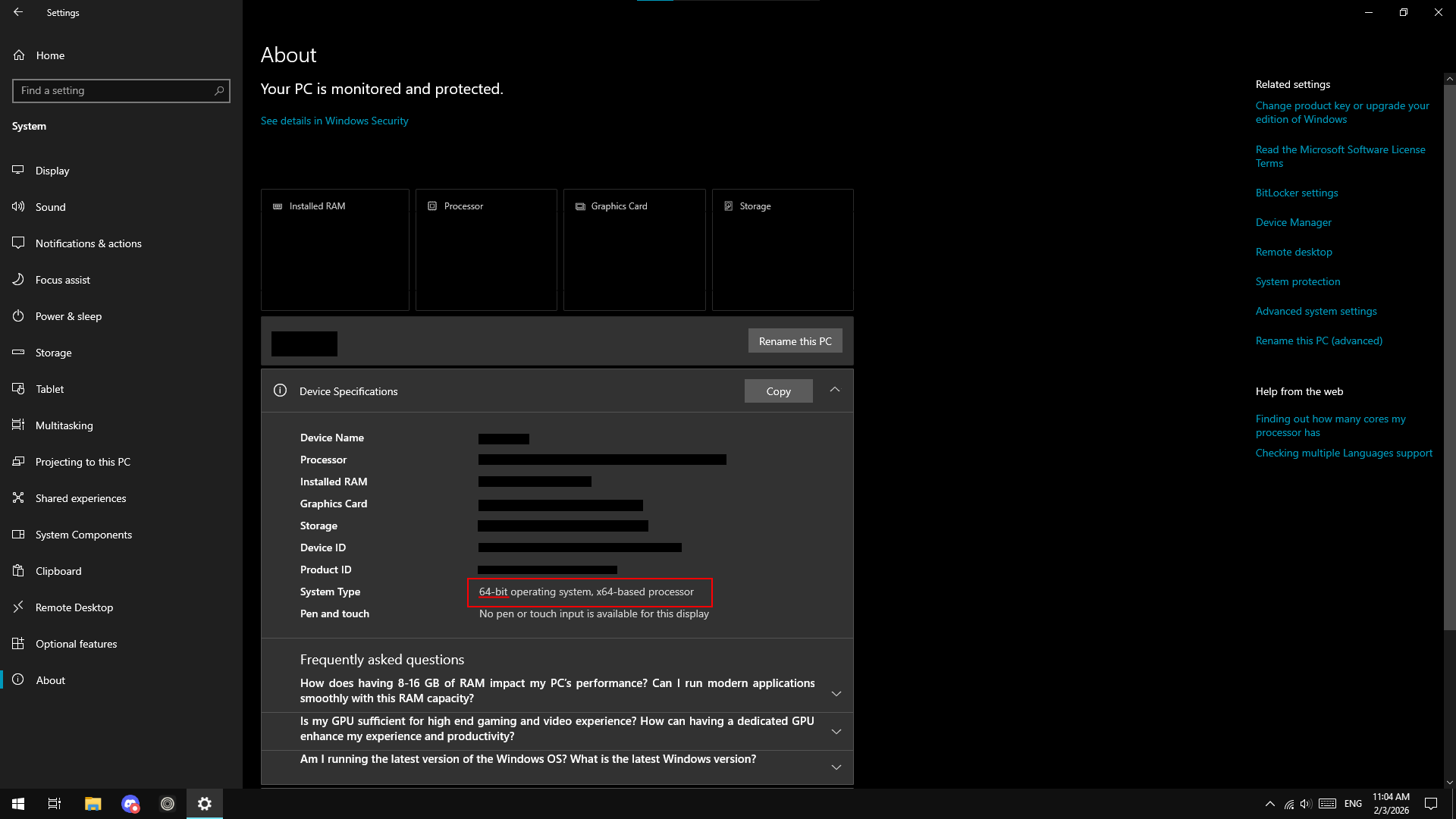
Make note of what System type you have, we will need this later.
Before installing the Lan play client we must first check which type of Windows you have.
The following steps outline how to do that: